
Unit 1: Interactive Artwork with Processing
Learn how to draw basic shapes while exploring fundamental processing concepts. In addition, you’ll learn how to choose color schemes, control transparency, draw irregular shapes, and layer and blend colors.
9 Lessons:
1. Basic Shapes
2. Colors
3. Movement and Animation
4. Mouse and Keyboard
5. Transformations
6. Classes and Objects
7. Review and Quiz
8. Follow the Leader
9. Unit 1 Quiz

Unit 2: Game Design with Processing
Take the lessons you learned in Unit 1 and make objects move on-screen and respond to user input. Create simple, playable arcade games like Snake, Asteroids, and Space Invaders. After getting the basic game logic working, you’ll be challenged to extend the games’ functionality using the skills you’ve learned. Add levels, invent your own bad guys, and more.
8 Lessons:
10. Mouse Chase
11. Space Invaders
12. Eating Dots
13. Snake
14. Asteroids
15. Review and Quiz
16. Project: Improve a Game
17. Unit 2 Quiz

Unit 3: Data Visualization with Matplotlib
Learn the basics of Data Science: create histograms, bar charts, line graphs, and scatter plots using Matplotlib, the most popular Python visualization library. Understand how and why to use each kind of graph through guided projects. Finally, use data from NASA to visualize the temperature variations in your hometown.
7 Lessons:
18. Bar Graphs and Histograms
19. Line Graphs
20. Scatter Plots
21. Customize Plots
22. Review and Quiz
23. Lab
24. Unit 3 Quiz
Unit 4: Analyzing Data with Pandas
Explore how to work with DataFrames, a datatype foundational in the pandas’ library that allows you to easily manipulate datasets. Learn how to narrow your analysis to a particular set of data of interest without deleting any underlying data. You’ll also learn how to generate models to represent your dataset accurately. Finally, put these skills to the test by organizing and graphing data about wildfires in California. Subset the data, explore it visually, and then make your own conclusions.
7 Lessons:
25. Creating DataFrames
26. Creating Random Data
27. Manipulating Datasets
28. Variation of a Normal Curve
29. Review and Quiz
30. Lab
31. Unit 4 Quiz
Unit 5: Image Manipulation with Processing
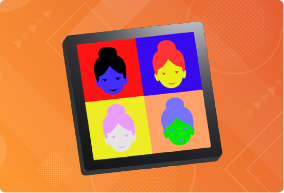
Learn how to load and manipulate existing images by making cool photo filters and much more. You’ll explore advanced concepts like image transformations, too.
9 Lessons:
32. Loading and Displaying Images
33. Image Filters
34. Transforming Images
35. Warhol Triptych
36. Random Tint
37. Pontillism
38. Review and Quiz
39. Project: Wandering Art Bugs
40. Unit 5 Quiz

Unit 6: Math and Science with Python
These days, almost everyone has access to the incredible computing power that early mathematicians could only dream of. Learn how you can use Python in mathematical contexts, to perform straightforward mathematical calculations, as well as symbolic manipulations. Learn how to use Sympy and Numpy to their fullest.
8 Lessons:
41. Introduction to Sympy
42. Derivatives
43. Integrals
44. Word Problems
45. Numpy Arrays
46. Review and Quiz
47. Challenge Problems
48. Unit 6 Quiz
Level Assessment
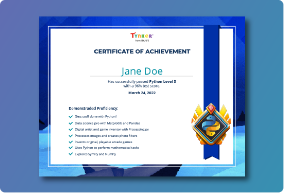
Put your skills to the test — keep up the momentum and continue on your learning pathway.
